
Introduction: Your First Step Toward Protection
Estimated reading time: 11 minutes
Congratulations on your invention! As an Intellectual Property Strategist, I can tell you that the excitement of a new idea must be met immediately with a cold, hard reality check. Before committing thousands of dollars to an application, you must verify that your idea is truly yours to claim. Think of a prior art search as an essential insurance policy for your time and capital. Inventors who skip a thorough USPTO patent search risk joining the ranks of those wasting precious early capital on something already described by someone else. By identifying “prior art” early, you aren’t just seeking novelty; you are performing the defensive due diligence necessary to prevent a future infringement lawsuit that could bankrupt your venture.
What is a Prior Art Search?
In the world of intellectual property, “prior art” is a broad term encompassing all evidence that your invention is already known to the world. A search is the process of uncovering this evidence to see if your creation—or any significant part of it—exists in the public domain or in the files of a patent office.
Types of prior art include:
- U.S. Patents: Previously issued utility, design, or plant patents.
- Foreign Patents: Patents issued in other countries (e.g., China, Germany, Japan).
- Published Patent Applications: U.S. and international applications that are public but not yet granted.
- Non-Patent Publications: Academic journals, technical manuals, textbooks, magazine articles, and webpages.
- Public Use or Sale: Evidence that a similar invention was commercially sold or publicly used anywhere in the world.
Understanding what prior art is represents half the battle; the other half is recognizing why it is strategically fatal to ignore it.
The Strategic Necessity: Why Searching Matters
You cannot rely solely on your own knowledge of the market. Even if you haven’t seen your product on store shelves, it may exist in a patent database or an obscure technical journal. To secure intellectual property protection, your invention must clear several hurdles, most notably:
- Is it New (Novel)? Does it differ physically or operationally from every single piece of existing prior art?
- Is it Nonobvious? This hurdle is the most common cause for rejection. Even if your idea is technically “new,” would a person skilled in your field consider it an obvious next step? Would a person skilled in the art be able to form the invention with the disclosure of 2-4 references?
Conducting a search provides you with knowledge to “in-force” patents you might infringe. This awareness allows you to pivot your design or seek a cross-license with an existing patent owner before you invest in manufacturing. Once you understand these hurdles, you must equip yourself with the linguistic tools necessary to clear them.

1. Building Your Search Arsenal: Finding the Right Keywords
Successful patent searching depends on using the specific, often dry terminology found in legal documents. An artificial rainmaking machine, for instance, might describe “rainfall simulation” rather than “rainmaking.”
Steps for Brainstorming Keywords:
- Analyze the Function: List the parts and the specific result your invention produces.
- Identify Synonyms: Use a thesaurus to find every variation. For a “shower mirror,” search for “reflection,” “looking glass,” and “moisture.” Because a patent applicant can be their own lexicographer, an application may state that a “bizwazz” is a “shower mirror” and never again say “shower mirror”. Thus, more keywords will be uncovered during the search process. This is also a great opportunity to use AI tools (e.g. ChatGPT), but taking care to not include full invention information.
- Think Broad and Narrow: Search for the general category (e.g., “mirror”) and the specific problem (e.g., “fog-free” or “anti-steam”).
- Use Verbs: Describe what the invention does (e.g., “expels,” “rotates,” “simulates”).
With your keywords ready, you are prepared to enter the primary patent searching databases. This is an iterative process, and your search will uncover terms to add to your search keywords.
2. Navigating Google Patents for Broad Insights
For a user-friendly entry point, start at Google Patents. Google Patents provides access to over 11 million U.S. patents dating back to 1790, plus documents from 15 other countries.
Google is the preferred starting point because its engine is fast and intuitive. Use the Advanced Patent Search to filter your US patents search by:
- Keywords: Use your “broad arsenal” of synonyms.
- Inventor/Assignee: Search for specific competitors or companies like “Jacuzzi” or “Gillette” if you know of any.
- Classification: If you find a similar patent, click its classification code to find a “bucket” of related inventions. Keep note of these to include as part of your searching using the Advanced Search feature.
- Similar References: At the bottom of any patent or PGPUB is a list of “Patent Citations” that were cited by the examiner or the applicant. Additionally, “Cited By” are other applications and patents that cited the current application. “Similar Documents” are those that google patents deems similar to the current application. These can be a treasure trove when you find a similar patent application to your invention.
While Google is excellent for broad insights, professional-grade precision requires a deep dive into the official database.
3. Precision Searching via the USPTO Website
Once you have broad insights, head to the official USPTO patent search. While the USPTO previously relied on the U.S. Patent Classification (USPC), it has transitioned to the Cooperative Patent Classification (CPC), an international system.
The Precision Search System:
- Determine Keywords: Use the terms from your brainstorming session. Group synonyms with parenthesis.
- Locate Similar Patents: Use the Quick Search or Enhanced Search modes to find at least one patent almost identical to your idea. The Enhanced Search mode allows you to see your search history and build upon it.
- Determine Current US Classification (or CPC) Classes: Look at the front page of that similar patent. For example, if you invented a “Kissing Shield” to prevent germ transmission, you would find it under Class 128 (Treatment of Diseases), Subclass 857 (Shields for protecting the face).
- Search by Class: Place your CPC classifications in a parenthesis followed by a “.cpc.” to search for those codes only in the classification of the patent applications. This pulls every patent categorized in that specific “bucket,” regardless of the keywords used.
- Iterate: As you search, add synonyms to the appropriate parenthesis and CPC symbols as you search and learn.
Some of the reasons the USPTO patent search tool is so powerful is that it allows for proximity and boolean operators. What does that mean? It means you can build a complex query to really target specific aspects of your invention. An example query could be:
(machine NEAR2 learn$3 artificial NEAR2 intelligence (NN RNN CNN))
WITH (database storage (DB)) NEAR4 (manag$4)
AND (G06F/$).cpc.
This specific query clusters our search terms. Additionally, the proximity operators WITH, NEAR(n), ADJ(n) allow us fine-tuned control about how these words appear in relation to one another. Finally, the $ operator controls how many wildcard letters are allowed after the “$” where “$3” allows up to 3 unknown letters and “$” on its own allows up to the maximum. So for the “(G06F/$).cpc.“ portion, this translates to finding any patent that has to do with computers. Where google patents is a fast and simple search, the USPTO patent search system can be as precise as a scalpel or just as simple as google patents.
Remember, however, that the US patent office lookup is only one piece of the puzzle.
Find more helpful official patent search guides here.
Other helpful official patent search tutorial videos can be found here.
4. Finding Prior Art Beyond Patents
Prior art includes products currently on the market and academic research that may never have been patented. To be thorough, “hit the stacks” online:
- Thomasnet.com: Search thousands of company catalogs and product specifications.
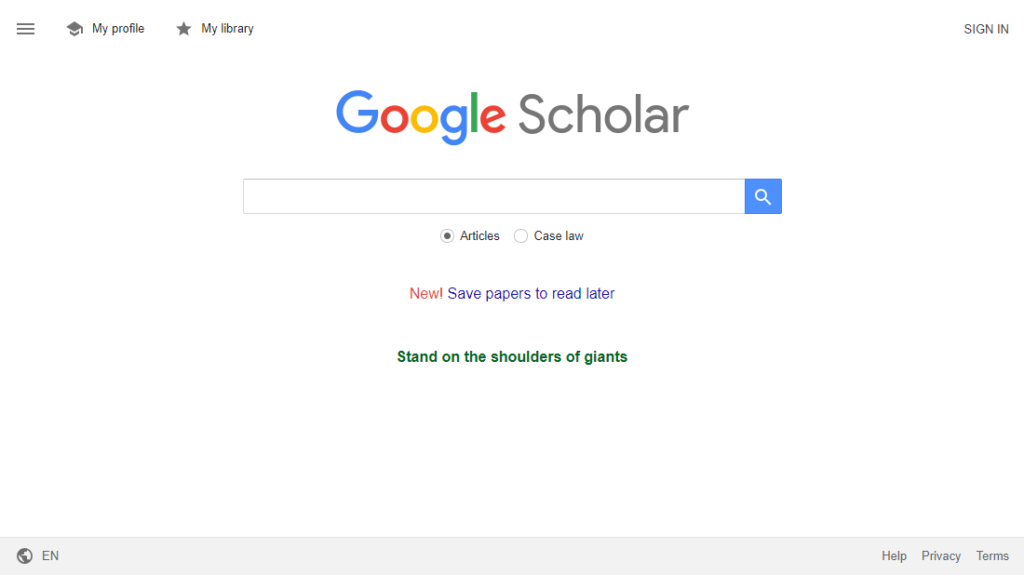
- Google Scholar: Search academic and scientific literature for mentions of your specific technology or chemical process.
- Youtube: If a patent examiner finds your invention described in a video, this too can be used to reject the patent claims.
- Google: The search engine synonymous with searching is a great way to search for other products out there that are similar to your idea. Any published information can be cited by an examiner, e.g. manuals, websites, pdfs, release notes, conference slides, textbooks.
5. How to Read a Patent Without a Law Degree
Don’t be intimidated by “patentese.” Focus on these three sections:
- Abstract: A concise summary. Read this first to see if the invention is in your “ballpark.”
- Description (Specification): This is the instruction manual. It explains exactly how to make and use the invention. For patentability purposes—determining if your idea is new—you must look at this entire disclosure, including all drawings.
- Claims: Located at the end, these are the “legal boundaries.” While the description tells you what the invention is, the claims tell you what the owner can sue you for. Do not fall into the “claims trap”—if you are checking to see if your idea is patentable, you must look at the whole patent, not just the claims. The claims are most relevant for freedom to operate searches and determination of patent infringement.
See our guide on Freedom to Operate: Why FTO Analysis Matters for Inventors
When to Contact a Patent Agent
While a DIY search is a great start, there is a threshold where you should call a US patent agent. Professional help is vital if:
- When the invention is complex, multi‑component, or spans multiple CPC classes: Inventions involving software, AI, distributed systems, or multi‑layer architectures often sit across 5–20 CPC subclasses. A professional can: Map the invention to the correct CPC hierarchy, identify obscure subclasses you wouldn’t think to check, and run examiner‑style combination searches across multiple classes. This dramatically reduces the risk of missing hidden art.
- When the search will influence legal strategy or claim scope: If the results will determine whether to file at all, how broad your independent claims can be, which embodiments to emphasize, or whether to pursue provisional vs. Non‑provisional then you want a professional who can interpret prior art in the context of §102, §103. A layperson can find references; a patent agent can tell you what those references mean legally.
- When the invention is in a crowded or fast‑moving field: Fields such as AI/ML, Blockchain, Fintech, Cloud infrastructure, Autonomous systems, Medical devices, and software have enormous volumes of filings, many with subtle variations. Professionals know how to identify the closest art that a lay person can miss.
- When you’re too close to the invention: Inventors often unconsciously use their own terminology. They can also overlook older or adjacent technologies or miss art from parallel industries. A professional brings outside perspective and avoids the cognitive bias that inventors naturally have.
- When you need to understand how examiners will search: Patent agents with examiner training, such as here at Crafted IP, know which CPC classes examiners prioritize, know how they combine classes and keywords, which references examiners repeatedly cite, and how they interpret borderline disclosures. This insight is extremely difficult for inventors to replicate.
Have an idea worth protecting?
Protecting your ideas doesn’t have to be overwhelming. We’ll help you understand your options and build a strong patent strategy. Get expert guidance from a former USPTO examiner. With over a decade of experience, our patent agents provide personalized support and guidance every step of the way. From the first consultation to long‑term intellectual property protection, our mission is to simplify the process and safeguard your innovations. Crafted IP specializes in software, artificial intelligence, graphical user interfaces (GUI), autonomous vehicles, drones, robotics, and navigation system patent applications.
When a DIY Search is usually enough
A self‑run search is often fine when you’re doing an early novelty check or the invention is simple and well‑bounded. Sometimes, you’re simply validating a single feature or concept. If you’re exploring the landscape, not making legal decisions, then a DIY search is also appropriate. Finally, if you’re deciding on whether to contact a patent agent or attorney about filing a patent application then a DIY patent search can save you some money.
DIY searches are great for orientation, not certainty.
Conclusion: Empowering Your Invention Journey
The US patent lookup process is an empowering tool that allows you to take control of your intellectual property. While the databases are accessible to everyone, success requires the diligence to look beyond the first page of results.
Remember to document and save your search history for your own benefit and iterating. If your search reveals a clear path forward, you are ready to move from researcher to applicant. For a final review of your findings, contact a registered agent to ensure your “insurance policy” is air-tight.